Korea Subway Map1.1.0
Publisher Description
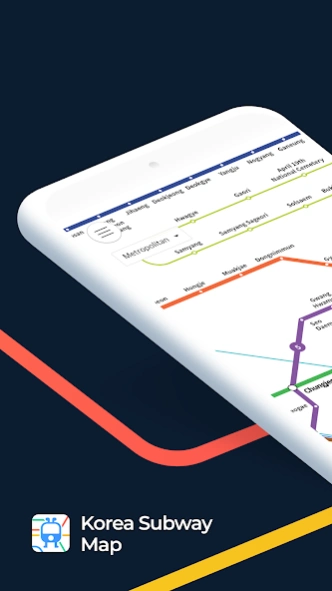
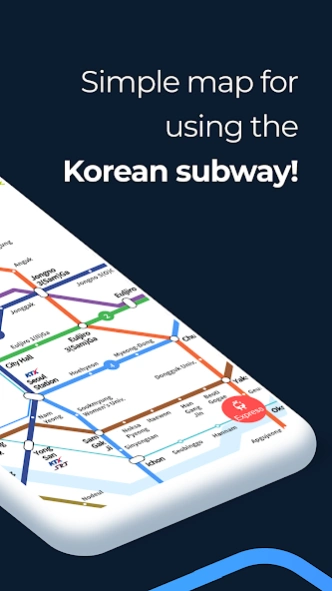
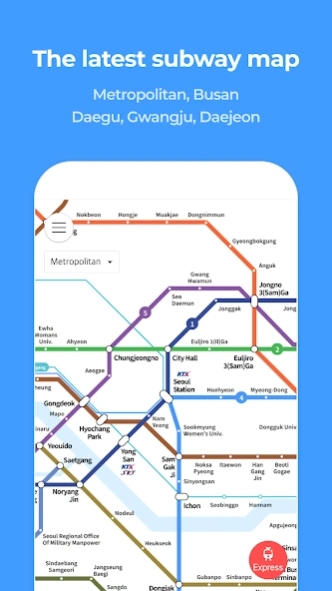
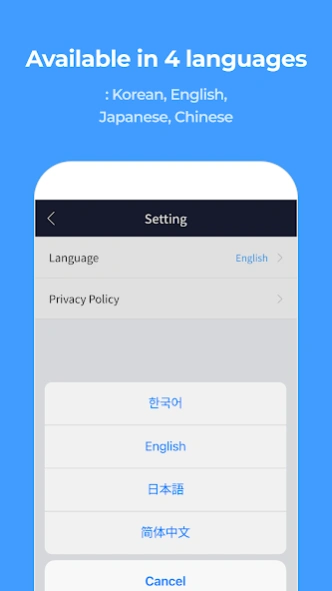
Simple map for Korean subway - an easy-to-check subway lines and stations.
Korea Subway Map' simply provides intuitive route maps for Seoul Metropolitan Area, Busan, Daegu, Daejeon, and Gwangju. Check complex subway(metro) informations easily!
[Features]
■ The latest subway maps of Seoul Metropolitan Area, Busan, Daegu, Daejeon, and Gwangju.
■ Easily check the subway map by region and train type(i.e. All, Express, or Limited Express) with a single button.
■ Available in multiple languages: Korean, English, Japanese, or Chinese
For service-related inquiries, please contact us below.
- Email: doppelsoft@doppelsoft.net
- Tel: (+82)3180382310
About Korea Subway Map
The company that develops Korea Subway Map is DoppelSoft. The latest version released by its developer is 1.1.0.
To install Korea Subway Map on your Android device, just click the green Continue To App button above to start the installation process. The app is listed on our website since 2025-07-02 and was downloaded 2 times. We have already checked if the download link is safe, however for your own protection we recommend that you scan the downloaded app with your antivirus. Your antivirus may detect the Korea Subway Map as malware as malware if the download link to teamdoppelganger.subwaymap is broken.
How to install Korea Subway Map on your Android device:
- Click on the Continue To App button on our website. This will redirect you to Google Play.
- Once the Korea Subway Map is shown in the Google Play listing of your Android device, you can start its download and installation. Tap on the Install button located below the search bar and to the right of the app icon.
- A pop-up window with the permissions required by Korea Subway Map will be shown. Click on Accept to continue the process.
- Korea Subway Map will be downloaded onto your device, displaying a progress. Once the download completes, the installation will start and you'll get a notification after the installation is finished.
Program Details
System requirements
Download information
Pricing
Version History
version 1.1.0
posted on 2025-07-02
1.1.0 Bug fixes and small improvements.
version 1.0.9
posted on 2024-09-10
1.0.9 최신 개통 노선도 반영, 시스템 안정화 및 오류 수정
1.0.8 노선도 안 보이는 오류 수정
1.0.7 GTX-A, 경강선 개통 최신 노선도 적용, 시스템 안정화 및 오류 수정
1.0.6 수도권 1호선(연천~청산)연장 개통, 시스템 안정화 및 오류 수정
1.0.5 다국어 지원, 시스템 안정화 및 오류 수정
1.0.4 서해선 일산~대곡 연장 개통, 시스템 안정화 및 오류 수정
1.0.3 서해선 대곡~소사 개통, 시스템 안정화 및 오류 수정
1.0.2 경의중앙선 운천역 개통
1.0.1 구글 최신 OS 적용, 최신 노선도 업데이트
1.0.0 지하철노선도 신규 출시
version 1.0.8
posted on 2024-05-30
1.0.8 노선도 안 보이는 오류 수정
1.0.7 GTX-A, 경강선 개통 최신 노선도 적용, 시스템 안정화 및 오류 수정
1.0.6 수도권 1호선(연천~청산)연장 개통, 시스템 안정화 및 오류 수정
1.0.5 다국어 지원, 시스템 안정화 및 오류 수정
1.0.4 서해선 일산~대곡 연장 개통, 시스템 안정화 및 오류 수정
1.0.3 서해선 대곡~소사 개통, 시스템 안정화 및 오류 수정
1.0.2 경의중앙선 운천역 개통
1.0.1 구글 최신 OS 적용, 최신 노선도 업데이트
1.0.0 지하철노선도 신규 출시
version 1.0.7
posted on 2024-04-16
1.0.7 GTX-A, 경강선 개통 최신 노선도 적용, 시스템 안정화 및 오류 수정
1.0.6 수도권 1호선(연천~청산)연장 개통, 시스템 안정화 및 오류 수정
1.0.5 다국어 지원, 시스템 안정화 및 오류 수정
1.0.4 서해선 일산~대곡 연장 개통, 시스템 안정화 및 오류 수정
1.0.3 서해선 대곡~소사 개통, 시스템 안정화 및 오류 수정
1.0.2 경의중앙선 운천역 개통
1.0.1 구글 최신 OS 적용, 최신 노선도 업데이트
1.0.0 지하철노선도 신규 출시
version 1.0.6
posted on 2023-12-19
1.0.6 수도권 1호선(연천~청산)연장 개통, 시스템 안정화 및 오류 수정
1.0.5 다국어 지원, 시스템 안정화 및 오류 수정
1.0.4 서해선 일산~대곡 연장 개통, 시스템 안정화 및 오류 수정
1.0.3 서해선 대곡~소사 개통, 시스템 안정화 및 오류 수정
1.0.2 경의중앙선 운천역 개통
1.0.1 구글 최신 OS 적용, 최신 노선도 업데이트
1.0.0 지하철노선도 신규 출시
version 1.0.5
posted on 2023-10-24
1.0.5 다국어 지원, 시스템 안정화 및 오류 수정
1.0.4 서해선 일산~대곡 연장 개통, 시스템 안정화 및 오류 수정
1.0.3 서해선 대곡~소사 개통, 시스템 안정화 및 오류 수정
1.0.2 경의중앙선 운천역 개통
1.0.1 구글 최신 OS 적용, 최신 노선도 업데이트
1.0.0 지하철노선도 신규 출시
